Category Archives: Uncategorized

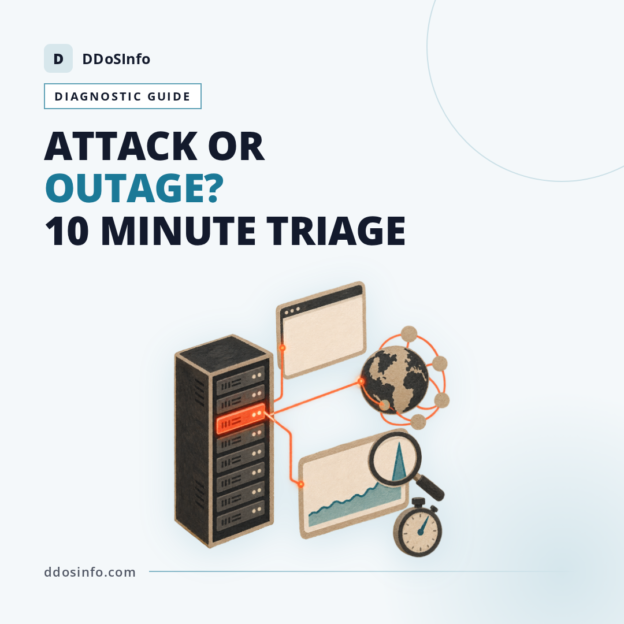
DDOS or Outage? How to Tell in 10 Minutes

DDOS or Outage? How to Tell in 10 Minutes

The question every on-call engineer eventually asks, somewhere between the first alert and the first angry customer email, is whether they are looking at a DDoS or an outage. It matters more than almost anything else you decide in the first hour, because the two answers send you in opposite directions: one escalates to a scrubbing provider and an attack evidence pack, the other escalates to a supplier status page and your own change log. Guess wrong and you lose the hour. Ten minutes of disciplined triage is usually enough to avoid that, provided you know which signals actually discriminate and which ones fit a hundred unrelated faults.

Why the first ten minutes decide the rest of the incident

Paging a distributed denial-of-service (DDoS) mitigation provider for a failed deployment wastes the one team who could have rolled it back. Rolling back clean code while a botnet chews through your search endpoint wastes the window in which mitigation would have been cheapest to apply. Both mistakes are common, and both come from the same root cause: a single person looking at a single browser tab and reasoning outwards.

Cloudflare’s global outage on 18 November 2025 is the cleanest recent illustration. Large parts of the web returned errors simultaneously, social media immediately assumed a record-breaking attack, and Cloudflare’s own published incident report attributed it to an internal failure involving an oversized bot management configuration file, not to malicious traffic. From a UK office, a worldwide provider failure and a worldwide attack looked identical for the first several minutes. Plenty of teams spent that time on the wrong phone call.

Set the ground rule before the next incident, not during it. One named person owns the diagnosis and says out loud what they currently believe and why. Everyone else gathers evidence and reports it to that person. Diagnosis by group chat produces four confident theories and no decision.

The evidence that actually separates a DDoS from an outage

Vague symptom lists are useless here. “The site is slow”describes a volumetric flood, a saturated database connection pool, a mis-sized instance and a bad ORM query equally well. What separates them is the shape of the traffic and the fingerprint of the errors.

Traffic shape before the failure. In an attack, request or packet rate rises first and errors follow. In an outage or a capacity fault, traffic is flat or falling while errors climb, because the same visitors are arriving and being turned away. Pull the request-rate graph and the error-rate graph on the same time axis and look at which line moved first. That single overlay resolves more arguments than any other artefact.

Error fingerprints. Connection timeouts, SYNs with no completed handshake and half-open sessions point at the network and transport layers. Clean 502s and 504s served promptly by a healthy edge point upstream, at your origin or at something between the two. A wall of 403s or interstitial challenge pages is frequently your own mitigation: a rate limit set too tight, or a WAF rule someone shipped on a Friday afternoon.

Who is affected. Everybody at once, or one mobile network, or one geography, or one point of presence? An outage confined to a single POP or a single ASN is a provider routing problem far more often than it is an attack. Global and total, with no gradient, tends to mean something above the web stack: DNS, certificates, domain registration or routing.

Source diversity against payload sameness. This is the signature no capacity problem can imitate. Take a worked contrast. Forty thousand requests per second arriving from six thousand distinct autonomous systems, nearly all of them aimed at one expensive search endpoint with near-identical headers, is an attack; organic traffic never distributes like that. Flat request volume, clean 502s at the edge and a normal origin process count is an upstream or deploy failure wearing an attack’s clothing.

Screenshot early. Edge dashboards frequently aggregate fine-grained data after a few hours, and the per-second view you need for an evidence pack may be gone by the time you write the report.

Check three surfaces in order: DNS, network, application

Order matters, because a failure in the first surface produces symptoms in all three.

Authoritative DNS first

Authoritative DNS is the layer most often left unmanaged, inherited from whoever registered the domain, and it fails in a distinctive way: mail, APIs, SSO callbacks and third-party integrations all break at the same second as the website. If your payment webhooks and your Microsoft 365 mail flow died alongside the site, stop looking at the web tier.

Resolve your zone against several public resolvers (for example 1.1.1.1, 8.8.8.8 and 9.9.9.9), then query each of your authoritative nameservers directly by IP address and compare SOA serial numbers. Check the delegation the registrar actually publishes against the NS records in the zone; the two disagree more often than people expect after a migration. Teams that have not thought about this surface before should read a proper treatment of authoritative DNS resilience and what to demand from a provider while nothing is on fire.

Network and transport second

Is your prefix still being announced? A public looking glass or a route-collector view answers that in under a minute, and a withdrawn or leaked prefix produces total, instant, global loss that feels exactly like a terabit-class flood. If the prefix is up, run traceroutes from at least two networks outside your estate. Packets dying several hops upstream, at the same router, for everyone, is a transit problem. A saturated link and a dark link look different on an interface graph: one is pinned at line rate, the other is at zero.

Application layer third

Thread starvation is the great impersonator. A worker pool exhausted by one slow database query produces queueing, timeouts and rising latency that reads like an application-layer flood until you put request concurrency next to origin CPU. Attack: concurrency high, CPU high, request mix skewed to one or two endpoints. Capacity fault: concurrency high, CPU idle, everything waiting on a lock or a downstream call.

The cross-check that settles most disputes is the edge-versus-origin comparison. Does the origin see far more traffic than the edge forwarded? Or does it see almost nothing while the edge reports normal volumes? Either mismatch tells you more in thirty seconds than an hour of log grepping.

Outages that get misreported as attacks, and attacks mistaken for outages

DNS provider failure versus DNS flood. Both produce the same maddening pattern: some users fine, others seeing nothing, depending on whose resolver cache still holds a valid answer. The test is to query each authoritative nameserver directly from more than one network. Responses from some anycast locations and timeouts from others suggests attack traffic or a partial platform fault; uniform timeouts everywhere, from every vantage point, suggests the platform itself. There is more detail on staying reachable through a DNS provider outage or an attack on your zone for teams building that plan properly.

Origin IP leakage. If the proxy reports normal traffic while the origin is being hammered, the attacker has your real IP address. This is a more common route to a bypassed proxy than sheer volume, and the causes are mundane: historical DNS records, a mail server on the same host, an unproxied staging subdomain, a certificate transparency log entry. The fix is re-IPing the origin and restricting its firewall to the edge provider’s published ranges. Buying more scrubbing capacity does nothing, because the attack is not touching the scrubber.

The boring catastrophes. An expired TLS certificate and a lapsed domain registration both produce total, simultaneous, global failure that is indistinguishable from a massive attack for the first few minutes. Check the certificate chain and WHOIS expiry before you dial anyone. Control-plane and dashboard failures deserve the same scepticism: if you cannot log in to change anything, the platform may be broken even when the data plane is serving traffic fine.

Self-inflicted downtime. On-demand mitigation creates its own outage window. Time-to-mitigate is not just the vendor’s detection number; it includes human authorisation and BGP convergence, and a diversion triggered mid-incident can look to users like a second, separate failure while routes settle. Anyone weighing that trade-off should understand what the seconds in a time-to-mitigate SLA actually cover before treating the figure as a promise.

Low-and-slow attacks. Application-layer attacks that hold connections open barely register on a bandwidth graph, so they get filed as performance degradation and sit in a backlog for days. Watch concurrent connection counts and time-in-request rather than megabits per second. If connection counts are at ceiling while throughput is unremarkable, you are not looking at a capacity problem.

What to do once you have the answer

If it is an attack: find out, now, who is contractually permitted to trigger mitigation. “Managed”varies wildly. Some contracts let a named engineer on the provider’s side change policy without waking you; others require the customer to raise a ticket and confirm the attack first, which means your protection is only as fast as whoever is asleep with their phone on silent. If a human on the provider’s side cannot change policy at 03:00 without your sign-off, you have bought monitoring, not management. Know your resale chain too: if your supplier resells someone else’s scrubbing network, your escalation carries an extra hop and your evidence has to survive being retold by a first-line agent. That question belongs in a structured comparison of vendor claims at contract time, but it bites during triage.

If it is a provider outage: work out whether the failing component is the one that publishes your failover. Changing nameservers during a DNS provider outage is slow and sometimes impossible. A zone with 3600-second records means a nameserver change can take up to an hour to reach resolvers, which is precisely why TTLs are lowered days before a planned cutover and not during an incident.

If it is you: roll back cleanly, one change at a time, and resist the temptation to describe a bad deploy as “a sophisticated attack”in the status update. Customers forgive mistakes. Engineers at your customers’ companies read traceroutes, and they will notice.

Tell the board and your customers what you know, what you do not know yet, and when you will next update. Then insist on a written post-incident report. A credible attack report contains a timeline in UTC, a vector breakdown, peak figures in bits per second, packets per second and requests per second, the moment mitigation engaged, and how much traffic was dropped against how much was passed. A credible provider root cause analysis names the change, the blast radius and the preventative action. “Elevated error rates were observed”is not an RCA.

Build the runbook before you need it

The five checks, in order, each with an owner and a command or dashboard written next to it:

  1. Resolve the zone from three public resolvers and query each authoritative nameserver directly; compare SOA serials.
  2. Compare the registrar’s published delegation against the NS records in the zone, and check WHOIS expiry and the certificate chain.
  3. Confirm the prefix is announced, then traceroute from two external networks.
  4. Overlay edge request rate against origin request rate, and note any mismatch in either direction.
  5. Put application concurrency next to origin CPU and the top endpoints by request count.

Host that card somewhere outside the failure domain, along with out-of-band monitoring from an external vantage point; monitoring that shares a CDN, a DNS provider or a cloud region with production will go dark exactly when you need it. Keep phone numbers, not just email addresses, for the scrubbing provider, the host, the registrar and the DNS operator, and confirm annually that the out-of-hours numbers still reach a human. The UK’s National Cyber Security Centre publishes denial of service guidance that is a sensible baseline for preparation and reporting expectations.

Finally, work out your downtime cost per hour. That number decides whether always-on protection is worth its premium over an on-demand arrangement with a convergence delay, and it sets how much evidence and contractual commitment you are entitled to demand at purchase. Answering “DDoS or outage?”in ten minutes is mostly a matter of having decided, in advance, which five things you will look at and who will be looking at them.

Frequently Asked Questions

How can I tell if my site is down from a DDoS or an outage?

Put request rate and error rate on the same time axis. If traffic climbed before errors appeared, and the sources are spread across thousands of networks hitting a narrow set of endpoints, treat it as an attack. Flat or falling traffic with rising errors points at a provider failure, a capacity fault or your own recent change.

What are the first three checks to run when a website goes down?

Resolve your domain against several public resolvers and query your authoritative nameservers directly. Confirm your prefix is still announced and traceroute from outside your own network. Then compare what the edge says it forwarded with what the origin actually received. Certificate expiry and domain registration status are worth a ten-second look in the same pass.

Can a DNS provider outage look the same as a DDoS attack?

Yes, and the user-visible pattern is nearly identical: some visitors keep working on cached answers while others get nothing at all. Query each authoritative nameserver directly from two different networks. Uniform timeouts from every vantage point suggest a platform failure; partial responses that vary by location lean towards attack traffic or a degraded anycast footprint.

Why does my site go down when my DDoS proxy says traffic is normal?

Usually because the attacker found your origin IP address and is going around the proxy entirely. Old DNS records, mail hosts, staging subdomains and certificate transparency logs all leak it. Re-IP the origin and restrict its firewall to your edge provider’s published ranges; extra scrubbing capacity will not help with traffic that never reaches the scrubber.

Who should I contact first, my hosting provider or my DDoS provider?

Contact whoever owns the surface your triage implicates. Clean 5xx errors from a healthy edge with no traffic spike means the host or your own deploy; a verified flood means the mitigation provider. Check in advance who on the provider side is contractually permitted to trigger mitigation without your written confirmation, and whether they resell another network’s scrubbing capacity, because that adds a hop to every escalation.
DNS Provider Outage Attack: How to Stay Reachable

DNS Provider Outage Attack: How to Stay Reachable

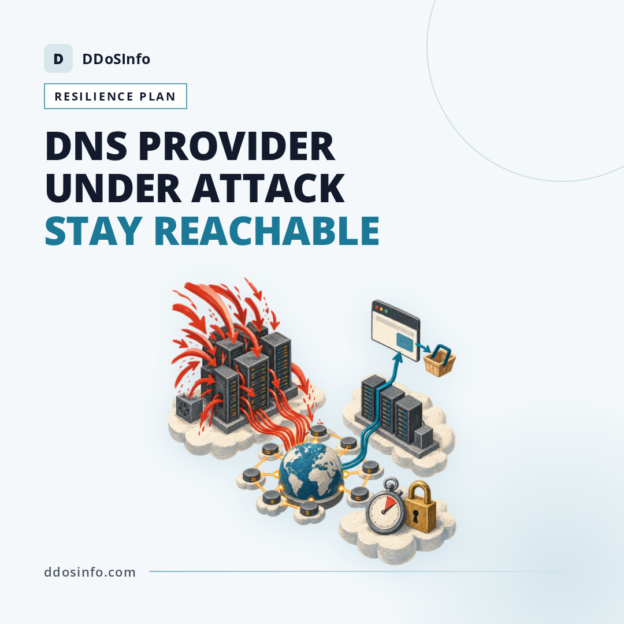
A DNS provider outage attack is the one denial-of-service scenario your own capacity planning cannot touch: the origin is healthy, the load balancers are bored, the CDN edge is warm, and the domain is still dark because somebody else’s authoritative nameservers are drowning. Nothing in your rack is broken. There is no traffic to divert, no scrubbing centre to call in, no BGP announcement to shift, because the network under pressure belongs to a third party you pay a few hundred pounds a year and have probably never spoken to on the phone.

Most coverage of this topic retells the October 2016 Dyn attack and stops. That is a story, not a control. What follows treats authoritative DNS as what it actually is: an architecture and procurement decision that gets made once, usually by accident, and then sits unexamined until the day it fails.

What a DNS provider outage attack actually breaks

Authoritative DNS is the set of servers that hold the definitive answers for your zone. Recursive resolvers, run by ISPs, mobile networks, corporate estates and public services such as Google, Cloudflare and Quad9, ask those servers on behalf of users and cache the reply. Attack the authoritative layer and you have not touched a single one of your machines. You have simply removed the directory that tells the internet where they are.

Three patterns fail in different ways, and the distinction matters because the remedies differ:

  • Straight query floods exhaust anycast capacity at the provider’s points of presence. Packets per second, not clever queries. The provider’s headroom is the only thing standing between you and a timeout.
  • Pseudo-random subdomain floods, often called water torture, query names like a8f3k2.yourdomain.co.uk in volume. Every one is a genuine miss. No resolver cache can absorb them, so the load is funnelled through recursive resolvers onto the authoritative servers, and the resolvers themselves fill with useless negative entries. The attack borrows the legitimate resolver population as a delivery mechanism.
  • Reflection and amplification using spoofed source addresses can point the reflected volume at the authoritative infrastructure, or at you, depending on which end of the spoof you are on.

Then comes the part that lengthens every DNS incident: retries. When answers time out, resolvers do not politely wait. They re-query, try the next nameserver in the set, and try again, which means legitimate traffic multiplies exactly when the provider is trying to recover. The IETF eventually wrote guidance about it. RFC 9520, published in December 2023, tells resolvers to cache resolution failures for at least one second and, as guidance, no longer than five minutes, specifically to damp down retry storms against servers that are already struggling. If those retry storms start to resemble an assault, a signal-by-signal triage can distinguish an outage from a genuine DDoS within minutes.

Everything keyed to that zone goes at once. Not just the website: API endpoints partners depend on, MX records and so mail delivery, SSO and SAML metadata URLs, payment provider callbacks, monitoring checks, and, with grim regularity, the status page you were planning to update.

Why some users stay online and others see nothing

Resolver behaviour, not attack size, decides what your outage looks like from the outside. That is why the first twenty minutes of the incident call is usually spent arguing about whether there is an incident.

Anyone whose resolver fetched your A record ten minutes ago is still browsing happily until the time to live (TTL) expires. Anyone whose resolver missed is getting SERVFAIL. Negative caching under RFC 2308 keeps NXDOMAIN answers around for the lesser of the SOA minimum and the SOA record’s TTL, with the RFC recommending a cap of three hours, so a bad answer cached early can outlive the attack itself.

Stale-serving adds another layer of inconsistency. RFC 8767 (March 2020) permits resolvers to hand out expired records when the authoritative servers are unreachable, and software such as BIND and Unbound supports it as a configuration option. Some ISPs enable it. Plenty do not. Your customers in one region stay online for hours; your customers on a different network see nothing at all; your own office, whose resolver happens to have warm entries, insists everything is fine.

Third-party names drag you down too. If your checkout loads a payment script from a SaaS hostname whose provider is the one under attack, your zone resolves perfectly and your checkout still fails. Map those dependencies before you need them.

Ten minutes to a working diagnosis: provider, zone or you

Before anyone opens a ticket, establish which of three things is true: the provider’s network is failing, your zone data is wrong, or your delegation has gone.

  1. Query every authoritative nameserver directly. dig @ns1.provider.net yourdomain.co.uk SOA +norecurse, then repeat for each NS in the set. All timing out points at the provider. Some answering and some not points at partial anycast failure, which is still the provider, but changes what you ask them.
  2. Trace from the root. dig +trace yourdomain.co.uk shows whether the parent zone still delegates to the nameservers you expect. A delegation that has vanished is a registrar problem, not an attack.
  3. Check the registration itself. Expiry date, registrar lock status, and whether a well-meant automated renewal failed. Domains still lapse. It looks exactly like an outage.
  4. Validate DNSSEC. dig +dnssec against the provider, and compare the DS record at the parent with the current DNSKEY. An expired RRSIG or a rolled key with a stale DS produces SERVFAIL from every validating resolver while the provider’s network is entirely healthy.
  5. Sample several vantage points. Public resolvers at 8.8.8.8, 1.1.1.1 and 9.9.9.9, plus a phone off Wi-Fi. Anycast means one vantage point tells you almost nothing about global reachability.

Rule out the self-inflicted causes first, because they mimic an attack and they are more common: a zone push that partially applied, a CI pipeline that overwrote the NS set, a CNAME added at the apex, a new provider onboarded but never added to the delegation.

When you escalate, ask closed questions. Which points of presence are affected, and are UK queries served from them? Is the target our zone or a co-tenant? What is the current query success rate by region? Should we prepare a delegation change, and will you support the transfer if we do? An honest provider will confirm within the first hour that they are under attack, even without a vector breakdown. Vague reassurance at hour two is itself information. Worth remembering: providers protect the estate, not the individual tenant. When EveryDNS suffered a sustained DDoS attack in 2010, the resolution was to stop serving the customer whose zone was attracting the traffic.

Dual-provider authoritative DNS: how it works and where it breaks

Two independent operators on one delegation is the only real answer to a provider-level flood. RFC 2182 has recommended diverse secondary nameservers, in different networks and topologies, since 1997. Resolvers already try every nameserver in the NS set, so if four of eight are unreachable, queries still get answered, more slowly.

Synchronisation comes down to two choices. A hidden primary distributing to both providers by AXFR and IXFR zone transfers keeps one source of truth and one place to make changes. API-driven pushes to both providers are easier to start with and drift silently the first time a deploy script only updates one side. Whichever you pick, monitor the SOA serial on both providers and alert when they diverge. That single check catches most of what goes wrong.

Two blockers get skipped in sales calls and discovered mid-incident.

DNSSEC is the first. Two providers each signing your zone with their own keys will produce answers the other cannot vouch for, and validating resolvers will return SERVFAIL. The fix is a multi-signer arrangement under RFC 8901, published in September 2020, where each provider serves the other’s zone-signing keys in the DNSKEY set. Both providers must support it. Many do not, or support it only on their higher tiers.

Vendor-specific record types are the second. ALIAS records, CNAME flattening at the apex, GeoDNS steering, weighted pools and health-check failover are proprietary. They do not replicate through a zone transfer, because they are not records in the standards sense. Failing over to a secondary that has no equivalent gives you a zone that resolves and an application that does not route.

Partial resilience still beats none. A warm secondary, loaded with a current zone and not in the live NS set, plus a written promotion runbook and registrar credentials that work, is a defensible position for a smaller estate. Test it quarterly. Discovering the registrar requires a fax during an outage is a genuine outcome.

Decisions to make before the outage, not during it

TTLs are the clearest example of a choice you cannot revisit once queries are failing. A 300-second TTL means most resolvers return within five minutes of mitigation and gives you almost no ride-through while the attack runs. An 86,400-second TTL keeps existing visitors resolving for a day, then delays any emergency nameserver change by the same day. Set them per record type: longer on NS and MX, moderate on stable A and AAAA, short only where you genuinely need agility, and document a lowering window (drop to 300 seconds at least a full old-TTL ahead) before any planned migration.

Three more decisions belong on the same page:

  • Registrar account access, the NS change procedure and DNSSEC key material held by more than one named person, with multi-factor authentication that does not depend on an email address at the domain you may be about to lose.
  • Status communications on a separate domain, at a separate DNS provider. Your status page on status.yourdomain.co.uk is decoration during this particular failure.
  • A tested breakage order, ranked by revenue: checkout, API clients, mail, SSO. The incident call should prioritise by booked value per hour, not by whoever is loudest on the bridge.

While you have the zone open, audit it for origin exposure. Legacy A records, mail., vpn., dev. and old staging hostnames publish the addresses sitting behind your proxy. An attacker who cannot beat the reverse proxy will happily take the IP your own DNS handed them. It is the same blind spot as origin leakage, dressed differently.

Buying DNS resilience: the evidence to demand and the business case

Authoritative DNS is the surface most often left unmanaged. Teams buy a reverse proxy for the website, arrange BGP scrubbing for their prefixes, sign a sensible contract, and leave the zone on a bundled hosting or registrar nameserver with no capacity claim, no attack reporting and no escalation path. Read your contract and find the words. If the scope stops at your prefixes and HTTP, authoritative DNS is not covered, whatever the cover sheet says. Our guidance on the gaps that leave DNS exposed goes into the specific clauses worth checking.

Trace the resale chain. Several DNS and protection offerings are white-labelled or resold, so two providers can look independent on paper while sharing upstream transit, anycast footprint or scrubbing centres. Ask who owns the network, how many points of presence answer UK queries, and who is actually on the escalation bridge at 03:00. Those questions apply just as much when you are choosing a managed DDoS protection provider in the UK as when you are buying DNS.

Judge capacity claims on evidence, not adjectives: query-per-second headroom per point of presence, redacted post-incident reports from real events, and SLA credit mechanics set against your genuine cost per hour of downtime. Credits are usually a fraction of one month’s fee. Multiply your hourly revenue or booked value by a realistic four-hour DNS incident, compare that to the annual cost of a second authoritative provider, and the procurement case tends to write itself. Judging vendor claims properly is a discipline of its own, covered in our breakdown of how to test six common vendor claims.

One framing does not transfer. The always-on versus on-demand debate is about when you divert traffic into mitigation and how fast. Against a provider-level DNS flood there is nothing to divert and no time-to-mitigate you own. The capacity under pressure belongs to someone else. Delegation diversity across two genuinely independent operators is the equivalent control, and it is bought in advance or not at all.

Dyn remains the reference case for concentration risk. Three waves of attack traffic in October 2016, driven by Mirai-infected consumer devices, took well-engineered sites offline while their own infrastructure ran normally. Dyn’s own post-incident analysis, published within days, described tens of millions of discrete IP addresses associated with the botnet and pointedly declined to confirm the 1.2Tbps figure circulating in the press. The scale was never the lesson. The dependency was.

Frequently Asked Questions

Does a second DNS provider really help when one is under attack?

Yes, provided the two are genuinely independent and both are live in the NS set. Resolvers try each nameserver listed, so queries still resolve when half the set is unreachable, though users may see added latency. The benefit disappears if both providers share upstream transit, anycast infrastructure or the same parent company.

Will lowering TTLs protect my site during a DNS provider outage attack?

No, and it can make things worse. Short TTLs mean caches empty faster, so more users hit the failing authoritative servers sooner. Low TTLs help you move quickly during a planned migration or a nameserver change; longer TTLs give more ride-through during an outage. Either way, changing them after queries start failing has no effect, because the change has to propagate through the servers that are already unreachable.

Is authoritative DNS covered by a standard managed DDoS protection contract?

Often not. Many contracts scope cover to your IP prefixes and to HTTP traffic through a reverse proxy, which excludes a zone hosted on a third party’s nameservers entirely. Check the service description for an explicit reference to authoritative DNS, query-per-second protection and DNS-specific attack reporting, and treat silence as exclusion.

How long does recovery take once the DNS provider mitigates the attack?

Longer than the mitigation itself. Cached negative answers persist for their full negative TTL (capped under RFC 2308 guidance at three hours), resolution failures may be cached for up to five minutes under RFC 9520 guidance, and resolver retry backlogs take time to clear. Expect a tail of inconsistent user reports for a period roughly matching your negative caching settings, not a clean switch back on.

Can I run DNSSEC across two DNS providers?

Only with a multi-signer setup as described in RFC 8901, where each provider publishes the other’s zone-signing keys so answers from either validate correctly. Both providers must support the model and be willing to operate it together. Without it, one provider’s signed answers will be rejected as bogus by validating resolvers, which turns your resilience investment into an outage of its own.

Botnet DDOS Attack Explained: What Defenders See

A UK retailer’s monitoring goes amber at 09:12 on a Tuesday: origin CPU is fine, cache hit ratio has fallen from the high nineties to about sixty per cent, and the search endpoint is queuing. No single source IP address stands out. Nothing has tripped a rate limit. Twenty minutes later the site is timing out and the phone lines are busy. Most explanations of a botnet DDoS attack explained the attacker’s side of this and stopped there: infected devices, command and control, a big flood. That is the easy half. The half that decides whether you stay online is what that traffic looks like when it lands on your network edge, your application and your authoritative domain name system (DNS) servers, and why the same botnet produces three completely different sets of symptoms.

What a botnet is, and how a pile of infected devices becomes an attack

A botnet is a collection of compromised internet-connected machines under the control of one operator. Three parts make it work. Infection, usually through default credentials, unpatched firmware or a commodity malware loader. Command and control (C2), the channel the operator uses to issue instructions, which may be an internet relay chat channel, an HTTPS endpoint or a peer-to-peer mesh. And the herder, the person or crew who owns the panel and decides where the traffic goes.

Scale here is not theoretical. Botnets have historically been measured in the hundreds of thousands of compromised hosts, with some estimates reaching a million zombies, and the population turns over constantly as devices are cleaned, rebooted or replaced.

Most attacks are rented, not built

Very few of the attacks that hit UK organisations come from someone who wrote the malware. They come from booter and stresser services, where the buyer picks a target, a vector and a duration from a dropdown. That changes the shape of the incident. Rented attacks tend to run in bursts of minutes to an hour rather than days, because the buyer is paying by time. Target selection is often opportunistic, or driven by a grudge, a competitor or an extortion campaign rather than by any strategic value in your estate. And the person on the other end is frequently not technically sophisticated, which matters when a ransom note arrives.

Botnet floods versus reflection and amplification

The two get conflated constantly. A botnet flood is traffic generated by compromised machines and sent directly at you. A reflection attack sends spoofed requests to third-party services (open DNS resolvers, network time protocol servers, memcached instances, connectionless lightweight directory access protocol endpoints) with your address in the source field, so the responses land on you. Amplification is the multiplier: a small query producing a much larger answer.

Reflection needs almost no bots at all. A handful of hosts on networks that permit source address spoofing can generate hundreds of gigabits per second by borrowing other people’s bandwidth. That is why the distinction is operationally useful: reflection traffic comes from a limited set of identifiable service ports and can often be dropped upstream on protocol and port alone, while genuine botnet traffic arrives from real addresses, over real TCP sessions, and increasingly with a valid transport layer security (TLS) handshake attached.

Node count is the wrong headline number

Vendors and journalists quote node counts because they are dramatic. What actually determines whether you fall over is aggregate request rate, the protocol chosen, and the cost of the thing being requested. Ten thousand cloud instances doing full TLS handshakes against a login page will hurt far more than half a million home routers sending malformed UDP packets that your upstream drops for free.

The device mix has changed, and the old blocking reflexes broke with it

The 2016 generation of botnets was overwhelmingly consumer hardware. US-CERT’s alert TA16-288A, published in October 2016, described Mirai as scanning for internet-of-things devices still running factory default credentials, principally digital video recorders, IP cameras and routers. Huge node counts, low output per node, spread across almost every country with broadband.

Compromised cloud and hosting instances are a different animal. Fewer nodes, but each with a gigabit or more of egress, modern CPUs capable of thousands of TLS handshakes per second, and an IP address that belongs to a reputable provider rather than a residential range. Reputation lists do not help you. Blocking the autonomous system means blocking a major cloud, which is where a good deal of your legitimate API traffic also lives.

Then there are residential proxy networks. Some are outright criminal, some are commercial services whose users consented in a software development kit buried in a free app. Either way, the attacker rents exit nodes on real consumer broadband lines, in the country of your choosing, driving real browser engines. IP reputation scoring, country blocking and simple JavaScript challenges all degrade badly against them.

Which brings us to the reflex every incident call reaches for at minute fifteen: block the bad countries. Against a 2016 IoT botnet it bought you something. Against a device mix that includes UK residential exits and instances in Ireland and Frankfurt, geo-blocking removes customers and leaves the attack broadly intact. Worse, it feels like action, so people stop looking for the real signature.

What one botnet looks like on each of your three surfaces

Network and transport

SYN floods that exhaust connection state, UDP floods that fill the pipe, ACK floods designed to look like established sessions to a stateful firewall. The variant that catches people out is carpet bombing: instead of hammering one host, the traffic is spread thinly across every address in your /24 or across several prefixes. No single destination crosses the per-IP threshold that triggers detection, but the aggregate saturates the upstream link or the edge router’s packet-per-second ceiling. Flow data shows it clearly. Per-host alarms do not.

Application layer

Here is the arithmetic that ought to be on a slide in every procurement meeting. Thirty thousand nodes, ten requests per minute each, is 300,000 requests per minute, or roughly 5,000 requests per second. Point that at an uncached search endpoint that costs the database 200 milliseconds per query and the connection pool is gone in seconds. Now look at any individual source: ten requests a minute, one every six seconds, from a residential address with a plausible user agent. That is slower than a real shopper browsing a category page.

Attackers pick the expensive endpoints deliberately: internal search, faceted filters, login and password reset, add-to-basket, anything with a query string that defeats the cache. Bandwidth at the edge may look unremarkable throughout.

Authoritative DNS

The surface almost nobody has budgeted for. On 21 October 2016 a Mirai-based botnet attacked the managed DNS provider Dyn; the widely reported consequence was that users could not reach services including Twitter, Reddit and Spotify, none of which were themselves under attack. Their web tiers were fine. Name resolution was not.

Two vectors dominate. Straight query floods, and the random subdomain or “water torture”attack, where the botnet requests a8f3k2.yourdomain.co.uk, then another random label, then another. Recursive resolvers cannot serve those from cache, so every query is forwarded to your authoritative servers, and your own customers’ resolvers become the delivery mechanism. Your web server sees nothing. Your site is still down.

The pattern in the field is consistent: an organisation buys a reverse proxy for the website, leaves DNS with the domain registrar on whatever plan came free with the renewal, and discovers during the incident that DNS DDoS attack protection was never part of the contract. If your DNS sits on two non-anycast nameservers at a registrar, that is the weakest link in your estate, and it is usually the cheapest one to fix.

One botnet can be pointed at all three surfaces in sequence during a single incident. Fifteen minutes of SYN flood, a pause while someone reads the effect, then an HTTP flood, then DNS when the HTTP flood stops working. Treat the incident as one campaign, not three unrelated events.

Reading the evidence: botnet flood, flash crowd or badly behaved crawler

Three things produce a traffic spike, and only one of them is an attack. The separators are behavioural, not volumetric.

  • Source diversity and depth. A flash crowd (a newsletter send, a broadcast mention, a viral post) has concentrated referrers and normal session depth: landing page, then two or three more pages. Botnet traffic has extreme source diversity and session depth of one, repeated.
  • User agent and header spread. Real populations produce a long, messy tail of browser versions. Botnets produce either an unnaturally narrow set or an unnaturally uniform distribution, and often header ordering that does not match the browser being claimed.
  • Cache hit ratio. Genuine traffic raises hits. Attack traffic aimed at query strings and search collapses the ratio while requests climb. That divergence is one of the earliest reliable signals.
  • Conversion behaviour. Sessions up, transactions flat is an attack or a scraper. Sessions up, transactions up is a good day.
  • Robots and rate. A misconfigured crawler identifies itself, comes from a narrow set of prefixes, and usually respects a 429 response. A botnet does none of that.

Look in this order: edge or content delivery network logs for endpoint and cache behaviour; NetFlow or sFlow from the border routers for packet rates and destination spread; authoritative DNS query logs for NXDOMAIN volume; and origin connection counts. Then the trap. Per-IP rate limiting is close to useless against a wide botnet, because every source is under any threshold you could set without harming real users. Detection has to run on aggregate behaviour and endpoint cost, not per-source counters.

One diagnostic worth committing to memory: if the origin’s 5xx rate is climbing while edge traffic looks normal, the attack is bypassing the proxy. Someone has your real origin address.

Which defences actually stop botnet traffic

Match the tool to the layer, because none of them covers everything.

  • Reverse proxy or CDN for HTTP and HTTPS floods. It terminates TLS, applies challenges and behavioural rules, and absorbs application-layer volume. It does nothing for traffic sent directly to your IP addresses.
  • BGP-based cloud DDoS scrubbing for network and transport layer floods and carpet bombing. Your prefixes are announced to the scrubbing network, dirty traffic is filtered, clean traffic returns over GRE tunnels or a direct connection. Note the entry requirement: for IPv4 you generally need to control a /24 you can announce, which rules the model out for most organisations sitting on provider address space.
  • Hosting-level filtering is a partial measure. It helps with obvious volumetric noise and costs nothing extra. It rarely includes application-layer inspection, and the provider’s ultimate defence is often a remotely triggered blackhole of your address, which completes the attacker’s objective for them.

Always-on versus on-demand deserves a firm position rather than a balanced shrug. On-demand diversion costs you detection time plus BGP convergence plus tunnel establishment, and a rented botnet reaches full rate in under a minute. Carpet bombing makes it worse, because the per-host thresholds that trigger diversion may never be crossed. If your risk profile includes network-layer attacks on your own prefixes, always-on is the honest choice; the trade-off between always-on and on-demand protection is mostly a question of how many minutes of downtime you can absorb, and what a time-to-mitigate SLA actually commits the provider to.

Origin IP leakage beats raw volume

More proxies are bypassed by leaked origin addresses than by attack size. The leaks are boringly consistent: an old A record still in passive DNS history; a mail server on the same address as the web application, advertised in SPF and MX records; a certificate transparency log entry (public by design under RFC 6962) exposing staging.yourdomain.co.uk; a development host, a status page, or a direct-to-origin API subdomain that was never proxied.

The fix takes an afternoon and almost nobody does it at onboarding: change the origin IP addresses after moving behind the proxy, then lock the origin firewall so ports 80 and 443 accept traffic only from the provider’s published ranges. Everything else gets dropped. If your provider does not publish those ranges, that is worth asking about before signing.

What to ask a provider, and what to do when the note arrives

Ask whose network you are actually buying. Resale chains are common, and the capacity figure in the deck, the SLA and the escalation path may each belong to a different company. Ask how many layers sit between your contract and the engineer who can change a mitigation policy.

Pin down what “managed”includes: onboarding and rule tuning, traffic baselining, named contacts, who raises the ticket, and specifically who is authorised to act at 03:00 without waking your CTO for sign-off. If nobody on their side can change policy without your approval, you have bought monitoring, not management. The detail of what a managed DDoS contract should specify in the UK is worth reading before the first renewal, not after the first incident.

Then judge their attack reports, which is the cheapest evidence available to a buyer. A useful report shows source distribution by network and geography, a vector breakdown, peak packet and request rates, and the exact mitigation applied with timestamps. A bandwidth graph with a red line on it is marketing. Ask for a redacted sample during procurement, alongside any vendor claims you intend to test against real attack behaviour.

Ransom demands

The pattern is familiar: a demonstration burst lasting a few minutes, then an email demanding cryptocurrency and naming a return date. That demonstration is evidence. Capture the flow data and the edge logs from those minutes, because they tell you the vector mix, the approximate node count and whether the operator has application-layer capability or only volumetric noise. That is a better basis for deciding what to buy than any threat in the email.

In the UK, denial of service offences are prosecuted under the Computer Misuse Act 1990, section 3 having been amended by the Police and Justice Act 2006 to cover unauthorised acts intended to impair the operation of a computer. Report to Action Fraud (Police Scotland if you are in Scotland) and follow NCSC guidance on denial of service attacks. Paying is not recommended by UK authorities, and the practical argument is stronger than the moral one: payment confirms the target pays, and the operator selling you peace has no mechanism to stop a second crew, or himself, coming back next quarter. Spend the money on capacity instead, and rehearse the first sixty minutes of an incident before you need it.

Frequently Asked Questions

How is a botnet DDoS attack different from a reflection or amplification attack?

A botnet flood is generated directly by compromised machines, so the source addresses are real and the sessions can be genuine TCP or TLS connections. Reflection abuses third-party servers by spoofing your address as the source, so the responses land on you, and amplification is the multiplier when a small request produces a large answer. Reflection needs very few attacker-controlled hosts and is usually easier to filter upstream by protocol and port.

How can I tell a botnet attack from a sudden spike in genuine traffic?

Compare behaviour, not volume. Genuine spikes carry concentrated referrers, normal session depth, a rising cache hit ratio and some conversion; botnet traffic shows enormous source diversity, single-request sessions, a collapsing cache hit ratio and flat transactions. Authoritative DNS query logs and NetFlow will usually confirm the picture within a few minutes.

Does blocking countries or IP ranges stop a botnet DDoS attack?

Rarely, and it often costs you customers. Modern device mixes include compromised cloud instances in mainstream hosting regions and residential proxy exits inside the UK, so country blocking removes legitimate buyers while leaving much of the attack in place. Filtering has to work on request behaviour and endpoint cost instead.

Why does my DDoS protection stop working even though the proxy is switched on?

Almost always because the attacker has your origin IP address, from an old DNS record, a mail server sharing the host, a certificate transparency entry or an unproxied staging subdomain. Traffic then goes straight past the edge, which is why origin 5xx errors climb while edge graphs look calm. Rotate the origin address and restrict the firewall to your provider’s published ranges.

Should I pay a ransom demand attached to a botnet DDoS attack?

UK guidance from the NCSC and Action Fraud does not recommend paying, and payment marks you as a target that pays. Preserve the logs from the demonstration burst, report the incident, and put the money towards scrubbing capacity and DNS protection instead.

“`

Ecommerce Site DDOS Attack: A Playbook for the First 60 Minutes (and the Weeks Before)

An ecommerce site DDoS attack rarely announces itself the way retailers expect: no bandwidth graph pinned to the ceiling, no dramatic outage banner, just a checkout that takes eleven seconds to respond on the busiest Friday of the quarter, a scatter of 504s at the load balancer, and a support inbox filling with “payment failed”while the CDN dashboard reports a perfectly ordinary day. Bandwidth looks fine. That is usually the point.

Distributed denial-of-service (DDoS) attacks against online shops have shifted away from raw volume towards the handful of endpoints that cannot be cached and cannot be skipped: search, faceted filtering, cart, login, coupon validation and the payment callback. Those are the parts of the stack that hit the database on every request. This piece is a runbook for the hour an attack starts, and for the fortnight before it, when the decisions that determine how that hour goes are actually made.

What an ecommerce DDoS attack actually targets on your shop

Three surfaces belong to the retailer, and they fail in different ways.

The first is the network pipe: the transit into your hosting, saturated by volumetric floods (UDP reflection, amplified DNS or NTP responses, carpet-bombing across a /24). The second is the application layer, where HTTP requests are cheap for the attacker and expensive for you. The third is authoritative DNS, which is the layer most retailers leave sitting with a domain registrar on a free plan while paying four figures a month for web protection. Take DNS down and the shop is gone regardless of how well the HTTP layer is defended. Nobody reaches your beautifully scrubbed origin if the name never resolves.

Why a small Layer 7 flood hurts more than a big volumetric one

Consider a mid-sized Adobe Commerce (Magento) install behind a CDN. A few thousand requests per second aimed at /search?q= with randomised terms, each one stacking two or three facet filters, will bypass the page cache entirely because every URL is unique. Each request opens a database connection. Connection pool exhausts, PHP-FPM workers queue, the load balancer starts returning 502s and 504s, and the bandwidth graph stays flat enough that the first hour is spent looking at the wrong dashboard.

The same logic applies to add-to-cart, coupon code validation, account login and the postcode lookup on the delivery step. Anything that writes to session state, queries stock or calls a third-party API is a lever. Attackers who bother to browse the site first find these in about ten minutes.

Payment and fulfilment callbacks: the failure nobody plans for

Checkout is not a single request. It is a conversation between your site, a payment service provider (PSP), a 3-D Secure step at the card issuer, and a webhook coming back the other way to confirm the transaction. Under load, that conversation breaks in ugly ways: the shopper is charged but the order never lands in the ERP; the webhook retries against a timed-out endpoint and eventually gives up; the fulfilment feed to your 3PL falls behind. Reconciliation the next morning is often more expensive than the lost trading hours, and it is the part that finance remembers.

Who attacks shops, and why

Motive matters because it predicts timing. Ransom DDoS operators send a short demonstration burst of a few minutes, then an email demanding cryptocurrency with a deadline and a threat of something longer, and they time it for peak trading because that is when a retailer’s patience is thinnest. Competitor sabotage is harder to attribute and should be treated as an open question rather than an assumption, though the pattern of short attacks during flash sales is familiar to anyone who has run mitigation for consumer brands. Hacktivist targeting follows the news cycle and picks brands for what they represent. Retail has been in the firing line for years; the DDoS attack that took CafePress offline is an early example of the pattern that later became routine.

Attack, flash sale or bad crawler? Ten minutes to a working diagnosis

Genuine traffic converts. That single fact separates most incidents from most spikes.

If sessions triple while conversion rate collapses towards zero, and requests per session climb far above your normal browsing pattern, you are not looking at a successful email campaign. Check the source spread next: real UK retail traffic arrives from a wide mix of consumer ISPs and mobile carriers. Attack traffic tends to concentrate in a handful of autonomous system numbers (ASNs), often hosting providers or VPN ranges, and frequently in geographies you barely trade with.

Then read the machine evidence:

  • Origin CPU and database connections high while inbound bandwidth is unremarkable points to a Layer 7 flood, not a volumetric one.
  • Cache hit ratio falling off a cliff means requests are being crafted to miss cache, which is deliberate.
  • 502/504 patterns clustered on a small set of paths tell you which endpoints to protect first.

Misdiagnosis is common and costly. A scraper hammering product pages for price comparison looks like an attack until you notice it respects a single user agent and crawls in order. A runaway marketplace feed integration can generate the same load profile. So can an expired intermediate certificate, or a database lock from a bulk product import that someone kicked off at 09:00 without telling anyone. Rule those out before you escalate, because a provider who receives three false alarms will treat the fourth accordingly.

Whatever the verdict, capture evidence while it is still in the buffer: precise timestamps with time zone, sample log lines showing the offending requests, the target URLs, request rates per minute, and the spread of source IPs and ASNs. Weak attack reporting is how retailers end up unable to prove anything to a PSP, an insurer or a board committee six weeks later.

The first 60 minutes: a runbook for a shop that is down

Print this. Put it somewhere that does not depend on the website being up.

Minutes 0 to 10: confirm scope from outside your own network

  1. Test the site from a mobile connection off the office network, and from a second geography if you have a colleague or a VPS available.
  2. Test DNS resolution separately from HTTP. Query your authoritative nameservers directly. A shop that fails to resolve is a different incident from a shop that resolves and times out, and the two go to different teams.
  3. Open the ticket with severity wording your contract recognises. “Site slow”gets queued. “Production checkout unavailable, suspected volumetric or Layer 7 DDoS, revenue impacting, requesting mitigation engineer”does not.

Minutes 10 to 30: establish who is authorised to act

This is the moment retailers discover what they actually bought. A self-service plan gives you a dashboard, a rules engine and a support queue. If nobody on the provider’s side is empowered to change a mitigation profile at 03:00 without your written sign-off, you have bought monitoring, not management. Define this in the contract long before you need it: onboarding, tuning of Layer 7 rules against your specific checkout and search paths, named escalation numbers with out-of-hours cover, and explicitly who may apply mitigation on your behalf. Our guide to managed DDoS protection in the UK goes into the contractual detail; the short version is that “managed”is a marketing word until somebody writes down what it obliges them to do. Before locking in those clauses, it is worth understanding what a terabit DDoS attack actually breaks on the ground, which our companion piece explores in detail.

Minutes 30 to 60: tactical controls that buy time

In rough order of how much collateral damage they cause:

  • JavaScript or managed challenges on non-cacheable paths only (search, filters, login, cart), leaving product and category pages untouched.
  • Rate limits per IP and per session on the endpoints identified in your diagnosis. Set them against your real 95th percentile, not a guess.
  • A checkout queue, if your platform supports one. Slow is survivable. Broken is not.
  • Geo or ASN blocking as a blunt last resort, and only for ranges you genuinely do not sell to. Blocking a whole country during an incident is a trading decision, not a technical one.

In parallel, someone commercial needs to pause paid media (every pound spent driving traffic to a dead checkout is burned), update the status page and brief customer service with a line that does not invite speculation, and start logging downtime minute by minute for the loss calculation later.

Origin IP leakage: why the proxy quietly stops protecting your checkout

When a proxied site gets flattened, the cause is more often a leaked origin address than an attack too big to absorb. The attacker simply goes around the front door.

The usual leak paths on retail stacks are depressingly consistent: an old A record still pointing at the previous host; transactional email (order confirmations, dispatch notices) sent directly from the web server, exposing the origin in the mail headers; a staging or dev subdomain on the same box; cPanel, webmail and FTP hostnames; historic certificates recorded in public certificate transparency logs; and direct-to-origin API endpoints built for a mobile app, an EPOS integration or a marketplace channel because someone found the proxy inconvenient.

Closing it is unglamorous work:

  • Rotate the origin IP after going behind a proxy. If the old address is still live, the migration achieved nothing.
  • Allow-list only the provider’s published IP ranges at the host firewall, and drop everything else on ports 80 and 443.
  • Move outbound mail to a separate service or IP entirely.
  • Audit every subdomain, including the ones marketing created for a campaign in 2019.

Authoritative DNS deserves its own budget line

Treat DNS as a project, not a checkbox on the registrar’s control panel. Anycast delivery, redundancy across two independent providers, and a rehearsed time-to-live (TTL) plan so an emergency reroute propagates in minutes rather than a day. Drop TTLs to 300 seconds a week before peak trading and put them back afterwards. Rehearse the failover once, with the person who would actually be awake at 02:00 doing the typing.

Choosing protection that fits an online shop, and what it costs

Three deployment models are realistic for retailers. A reverse proxy or CDN in front of the shop is the default for anyone on Shopify Plus, WooCommerce or a hosted Magento, and it handles Layer 7 properly. BGP scrubbing suits retailers who own their address space and run their own infrastructure. Hosting-level filtering, bundled by the platform or by a DDoS protected hosting provider, is the cheapest option and usually the least tunable; it protects the shared estate first and your checkout second. The trade-offs are set out further in this comparison of how the main mitigation providers differ.

Always-on versus on-demand is a different sum for a shop than for a corporate website. An on-demand BGP diversion that takes several minutes to complete can span an entire checkout window at peak, and those are minutes of failed payments, not a slightly late intranet. Always-on proxying removes that delay, at the cost of making every payment redirect and PSP webhook dependent on that provider’s own availability. Neither answer is universally right. Pick deliberately, and know which one you chose.

Ask who owns the network behind the badge

A large share of UK ecommerce protection is resold. The terabits-per-second figure on the datasheet may belong to an upstream scrubbing network three companies away, and your escalation path may run through a reseller’s support desk before it reaches anyone who can change a mitigation profile. Ask directly: whose network, what capacity is contracted to you specifically, and how many hops sit between your phone call and the engineer.

Then ask for evidence rather than a deck. Request a redacted sample attack report and check whether it lists attack vectors, packet and request rates, target URLs and mitigation timestamps. A report you can hand to your PSP, your insurer or your board is part of what you are paying for. Testing vendor claims properly is a discipline of its own, covered in more depth in this piece on judging protection claims against real attacks.

Build the case on downtime cost, not gigabits

Finance directors do not fund gigabits. Take annual online revenue, divide by trading hours to get a baseline hourly figure, then apply a peak multiple for Black Friday week, when checkout volume runs at several times a normal day for most consumer brands. Add the paid media spend that would burn during the outage window and an honest estimate of the carts that never come back. That number, not the attack size, sets your budget.

UK managed deals typically price as a monthly commit tied to clean bandwidth or request volume, with overage charges above it, sometimes a per-attack or emergency onboarding fee, plus one-off setup and rule tuning. Annual contracts with a peak-season uplift clause are common. Check current pricing directly with providers; the shape is stable, the numbers are not.

A pre-peak checklist you can run in a week

Contract evidence. SLA definitions expressed in seconds to mitigate rather than “rapid response”; a redacted sample attack report; a named escalation path with out-of-hours cover and a phone number that reaches a human; a documented change freeze covering the trading peak.

Proof of value. Run a controlled load test through the proxy with the provider’s knowledge and written permission. Rehearse a DNS failover. Dry-run your rate limits on search and login against real traffic in log-only mode first, because a mistuned limit will block your own customers faster than any botnet.

Application hardening. Cache product and category pages aggressively. Put challenges in front of login, coupon and account-creation endpoints. Offload search to a dedicated service so a flood cannot reach the primary database. Decide in advance what a degraded-but-trading site looks like: static product pages, no faceted filtering, checkout still live.

Legal and reporting. Unauthorised denial of service falls under the Computer Misuse Act 1990, as amended by the Police and Justice Act 2006. Report attacks and any extortion attempt to Action Fraud and, for significant incidents, to the National Cyber Security Centre. Tell your PSP and your insurer early. A pure DDoS does not usually touch personal data, but if the flood turns out to be cover for an intrusion, UK GDPR breach notification timelines to the Information Commissioner’s Office start running.

And on the ransom question, the guidance from UK law enforcement and the NCSC has not changed: do not pay. Payment funds the next campaign, marks you as compliant to other groups, and buys no enforceable guarantee. Preserve the email headers and the attack logs instead.

Frequently Asked Questions

How can I tell if my ecommerce site is under a DDoS attack or just having a traffic spike?

Look at conversion rate against session volume. Genuine spikes convert at roughly normal rates; attack traffic sends sessions up while conversions fall towards zero, with abnormally high requests per session. Concentration in a few ASNs or hosting ranges, a collapsing cache hit ratio and errors clustered on non-cacheable paths such as search and cart confirm the picture.

What should I do in the first hour of an ecommerce site DDoS attack?

Confirm the outage from outside your network, test DNS resolution separately from HTTP, then open a ticket using severity wording your contract recognises. Apply challenges and rate limits to the affected non-cacheable endpoints, pause paid media, and capture timestamps, sample logs and source data while they are still available. Escalate to a named contact rather than a generic support address.

Can a DDoS attack steal customer or payment card data?

A denial of service attack floods capacity; on its own it does not exfiltrate data. The risk is that a flood is used as cover while an intruder works elsewhere, or that emergency changes such as disabling a firewall rule create an opening. Review authentication logs and any configuration changes made during the incident before you close it out.

Does Shopify, Magento or WooCommerce hosting already include DDoS protection?

Most platforms and hosts include some baseline network filtering, and fully hosted platforms carry more of it than self-managed stacks. Baseline filtering is aimed at volumetric floods across shared infrastructure, not at application-layer attacks tuned to your search and checkout paths. Ask your host what it actually mitigates, how quickly, and whether anyone will tune rules for your site specifically.

Should we ever pay a ransom demand attached to a DDoS attack?

No. UK guidance from law enforcement and the NCSC is consistently against payment; it funds further attacks, identifies you as a paying target and secures no enforceable promise that the attack stops. Preserve the demand with full email headers, report it to Action Fraud, and put your effort into mitigation and evidence.

How much does managed DDoS protection cost for a UK online retailer?

Pricing is usually structured as a monthly commit tied to clean bandwidth or request volume, with overage above that level, plus one-off onboarding and rule tuning; per-attack or emergency onboarding fees appear in some contracts, and annual deals often carry a peak-season uplift clause. Quotes vary widely by traffic profile and by how much human response is included, so compare on defined response times and named escalation, not headline capacity. Justify the spend against revenue per trading hour at peak rather than against attack size, because that is the number that decides whether an ecommerce site DDoS attack costs you an hour or a quarter.

DDoS Attack on an Airline: How Aviation Systems Fail and What Actually Protects Them

A distributed denial-of-service (DDoS) attack on an airline almost never looks like the film version. There is no cockpit, no radar screen, no dramatic countdown: there is a booking domain that stops resolving at 06:00 on a Friday in half-term, a mobile app stuck on the boarding pass screen, and a bag drop queue growing faster than the ground handler can clear it. The statement that follows will say flight operations and air traffic control were unaffected. That is usually true. It is also close to useless to the passenger in the queue and to the duty manager paying for the welfare costs.

This piece takes the airline apart into the internet-facing surfaces that actually fail during an attack, explains what mitigation genuinely covers each one, and sets out how to test a provider’s claims before peak season rather than during it.

What actually goes down when an airline is hit

The marketing site is not the system that matters

A mid-sized carrier’s internet-facing estate is a longer list than most board packs assume: the marketing site; the booking engine and fare search; check-in and boarding-pass APIs; the mobile app back end; self-service kiosk endpoints in the terminal; ground-handler and crew portals; the loyalty programme; payment gateway callbacks; and authoritative DNS for the primary booking domain. Each has a different traffic profile, a different owner and, usually, a different level of protection.

Attackers do not need to touch reservation host connectivity or departure control to cause a bad morning. Flooding the check-in API is enough. The kiosks in the terminal are, in most estates, HTTPS clients talking to the same endpoints as the app, so when those endpoints saturate, the kiosks fail alongside the phones.

Why “no impact on flight operations”can be true and unhelpful

The dividing line is simple. Safety-critical avionics, air traffic management and the systems the regulator cares about most sit on separate networks with their own connectivity and their own assurance regime. The passenger-facing estate is ordinary internet infrastructure with ordinary internet weaknesses: public IP ranges, DNS, TLS, cloud load balancers, third-party JavaScript. A carrier can say with complete honesty that no aircraft was affected while every passenger channel is unusable.

Communications teams that lean too hard on the first half of that sentence tend to get punished for it later, because the queue is visible on social media within minutes.

The operational bill after the traffic stops

Manual check-in at the desk is slower than the kiosk by a wide margin, and staffing is set months in advance. A morning of degraded check-in produces missed slots, misconnects, rebooking backlogs, contact-centre queues that persist for days, and welfare costs for passengers stranded at the airport. Under retained UK air passenger rights rules (Regulation (EC) No 261/2004 as retained in UK law), duties of care and rebooking apply where flights are delayed or cancelled regardless of what caused the disruption; whether cash compensation is also payable turns on the contested question of whether a cyber attack counts as an extraordinary circumstance. That is a legal argument you would rather not be having.

Attackers pick the calendar, not just the target

Short, repeated bursts timed to a bank holiday getaway, a half-term Friday, a strike day or a political flashpoint do more damage per gigabit than a sustained flood on a quiet Tuesday. European carriers including Lufthansa and Scandinavian Airlines have had public-facing services disrupted by campaigns claimed by hacktivist groups on Telegram, typically announced alongside a political grievance and typically in bursts rather than one long wave. The pattern matters for defence: on-demand mitigation that takes several minutes to engage will keep missing an attack that only lasts fifteen.

Why airlines attract DDoS attacks in the first place

Hacktivist DDoS attack motives: the carrier as a stand-in for the state

Flag-of-convenience targeting is the dominant pattern. A group with a grievance against a government cannot reach the government’s hardened estate, so it hits the most recognisable commercial entity carrying the flag. National carriers, airports and rail operators are chosen because the outage is visible, photographable and reported within the hour. Attribution claims made on Telegram should be treated as claims, not facts; groups routinely take credit for outages they did not cause, and for outages that were never attacks at all. Airlines have been dealing with attention from this direction for years, and some carriers have publicly invested in defences specifically to blunt it.

Extortion, and why paying rarely ends the pressure

Ransom DDoS notes are usually timed to a peak booking window: a fare sale, the January holiday rush, the run-up to a bank holiday. The note arrives with a short demonstration attack and a deadline. If you are asking what to do when a ransom DDoS demand lands, the practical answer is a sequence, not a decision: do not reply; preserve the message headers and any demonstration attack telemetry; escalate to your mitigation provider immediately so posture can be raised before the deadline; inform your legal and communications leads; and report it. Payment funds the next campaign, marks you as a payer, and buys no enforceable commitment from an anonymous counterparty. Extortion crews are occasionally caught and prosecuted, as earlier cases against Russian DDoS blackmailers showed, but not on a timescale that helps you this week.

In the UK, section 3 of the Computer Misuse Act 1990 covers unauthorised acts intended to impair the operation of a computer, carrying a maximum sentence of ten years on indictment. Reporting routes run through Action Fraud (or Police Scotland in Scotland) and the National Cyber Security Centre. Air transport operators should also check their notification duties under the Network and Information Systems Regulations 2018, where the Civil Aviation Authority is the competent authority for the sector; confirm current thresholds and timescales with the CAA rather than relying on institutional memory.

Cheap capacity and cover noise

Booter and stresser services have made short bursts a commodity purchase, and reflected amplification plus large compromised device populations mean a low-budget attacker can still generate serious volume; the days when botnets of that scale were remarkable are behind us. The second use case is quieter: a loud layer 3 flood occupies the security operations centre and the network team while credential stuffing runs against the loyalty programme or a supplier account is abused elsewhere. Treat a volumetric event as a possible distraction and keep someone watching authentication logs.

The three surfaces an airline protects unevenly

Network and transport

Volumetric floods against the autonomous system, the data centre edge and any self-hosted range are the best-understood problem and generally the best-covered. Upstream scrubbing, BGP diversion and blackholing all exist for it. The gap is usually scope: subsidiaries, regional franchise partners and legacy ranges left in an old colocation facility often sit outside the contract.

Application layer

Layer 7 is where airlines are structurally exposed, because fare search is expensive. A single availability query can fan out to a pricing engine, cache lookups and, in some architectures, a live call to a global distribution system. A few thousand requests per second against fare search costs an attacker almost nothing and costs the origin a great deal. Seat maps, loyalty login and the booking basket behave the same way. Static content, by contrast, is nearly free to serve.

Airline traffic is also genuinely spiky. A fare sale, a snow day or a strike announcement produces surges that look exactly like a request flood. Thresholds tuned to average load will either throttle paying customers during a promotion or miss a slow, low-rate flood on fare search. Per-endpoint tuning is the answer: aggressive limits and bot challenges on the expensive endpoints, generous handling of static assets, and rules that account for the app’s normal burst behaviour after a disruption push notification.

Authoritative DNS

This is the layer most commonly left outside the managed scope, and the one that takes down every channel at once. If authoritative DNS for the booking domain stops answering, the website, the mobile app, the kiosks, the ground-handler portal and any partner integration resolving that hostname fail together, and no amount of edge bandwidth in front of the web tier helps. Serious DNS DDoS attack protection means anycast authoritative service across two independent providers on separate infrastructure, zone data kept in sync, TTLs agreed in advance (short enough to fail over usefully, long enough that resolvers keep serving during an outage), and a rehearsed procedure for changing delegation under pressure. For most carriers that buys more resilience than another tier of scrubbing capacity.

The third parties in the chain

Your booking flow depends on things you do not own: GDS connectivity, payment service providers, ancillary retail platforms, identity providers, and the airport operator’s own systems for kiosks and bag drop. Ask each of them the same questions you ask your own team, and record which of them can take your check-in flow down without anyone attacking you at all.

Why the proxy did not save the booking engine

Origin IP leakage, not attack volume

When a proxied booking engine falls over, the cause is more often exposure than size. The usual suspects: an old A record for a staging booking engine still pointing at production infrastructure; an SMTP or webmail host in the same /24 as the origin; a certificate transparency log entry publishing an internal hostname that resolves straight through; a historical DNS record archived by passive DNS services years ago. Fix the leak and enforce an origin firewall allowlist that accepts traffic only from your mitigation provider’s published ranges. Then test the allowlist from an arbitrary external host, because plenty of them are configured and never enforced.

APIs routed around the edge for latency

Mobile and API traffic is frequently taken off the proxy deliberately, to shave latency off check-in calls or because the SDK does not tolerate the edge’s TLS behaviour. That decision is often made by an app team, documented nowhere, and discovered during an attack when api.example.com is flooded directly while www.example.com stays comfortably up. Inventory every hostname the app resolves, including the ones used only for feature flags, crash reporting and payments.

Deployment models and mitigation timing across an airline estate

Three models cover most estates: reverse proxy for web and API surfaces, where layer 7 inspection and per-endpoint policy live; BGP-based scrubbing for whole prefixes, which protects everything in the range including non-HTTP services; and hosting-level filtering, which is often the realistic option for a smaller regional carrier or a subsidiary running one booking site.

Always-on versus on-demand

On-demand diversion is cheaper and keeps normal traffic off the scrubbing path, but the first minutes are exactly the ones that matter during a 06:00 check-in peak, and detection thresholds plus BGP convergence mean an on-demand posture will surrender the opening of every burst. The defensible split for an airline is always-on protection for the booking, check-in and DNS path, with on-demand diversion held in reserve for less critical prefixes. Get the SLA to state whether time-to-mitigate is measured from detection or from your phone call, because the two numbers can differ by half an hour.

Whose network have you actually bought?

Many buyers cannot name the network their traffic is scrubbed on, because the contract is with a reseller or an integrator. Ask for the underlying provider, the scrubbing locations that will serve your UK and European traffic specifically, and how advertised capacity is measured. The market has consolidated steadily since deals such as Akamai’s acquisition of Prolexic, and a cloud DDoS scrubbing service sold under three different brands may all terminate in the same handful of facilities. That is not automatically a problem. Not knowing is.

The 05:30 Friday runbook

Write the runbook for the worst realistic hour, not for office hours. Name the person authorised to trigger diversion or change DNS without waiting for a change advisory board. Record the provider’s out-of-hours escalation number and the account credentials needed to raise it. Decide in advance how ground operations is told, what the desk agents are instructed to say, and which fallback the airports switch to. Rehearse the DNS provider failure separately, because it is the scenario where your usual comms channels (the website, the app status page) may also be gone.

Buying and proving protection before peak season

What “managed”should buy

Managed should mean onboarding and per-endpoint rule tuning, always-on baselining of your traffic including its seasonal shape, named escalation contacts on both sides, and an engineer empowered to change policy at 03:00 without your sign-off. If every mitigation change waits on a ticket you have to raise, you have bought monitoring, not management. Our own guide to choosing a managed DDoS protection provider in the UK covers the contract mechanics and cost ranges in more detail; the aviation-specific addition is that your tuning must survive a fare sale.

Evidence over sales decks

Ask for a redacted post-attack report from a comparable customer and read it for vector breakdown, timestamps, mitigation actions taken and residual leakage, not for the headline peak figure. Ask how capacity is measured and where. Then, after your first real event, check the report against the SLA definitions you signed. Providers that write good reports tend to run good operations.

The business case, priced properly

Model downtime cost per hour against each surface rather than against “the website”: lost online bookings and ancillary revenue; contact-centre surge and overtime; desk staffing for manual check-in; welfare, rebooking and potential compensation exposure under the retained UK261 rules; and the cost of the recovery days that follow. Present the DNS single point of failure separately, because it is the cheapest of the risks to fix and the most expensive to ignore.

A pre-peak test checklist

  1. Search historical and passive DNS records, certificate transparency logs and mail records for anything that exposes an origin IP address; retire what you find.
  2. Confirm the origin firewall accepts traffic only from your mitigation provider’s ranges, and prove it by connecting from outside them.
  3. Verify that both authoritative DNS providers answer for the zone, that records match, and that TTLs are set where your failover plan assumes they are.
  4. Enumerate every hostname the mobile app and the kiosks resolve, and confirm which are behind the edge.
  5. Run a tabletop where the attack lands at 05:30 on a Friday in half-term, with the DNS provider unreachable and the on-call network lead unavailable.

A DDoS attack on an airline is not an unforeseeable lightning bolt from the blue. It is a predictable consequence of running a highly visible, latency-sensitive, seasonally spiky passenger estate on the public internet, and the carriers that come through one well are the ones that mapped every surface, closed the origin leaks and tested the DNS failover in March rather than in August.

Frequently Asked Questions

Can a DDoS attack on an airline affect flight safety or air traffic control?

Safety-critical avionics and air traffic management run on separate, dedicated networks that are not exposed to public internet traffic in the way a booking site is, so a flood aimed at passenger channels does not reach them. What it does reach is check-in, bag drop, kiosks and rebooking, which can ground a schedule through operational congestion rather than through any safety system failure. Both statements can be true at the same time.

Why do hacktivist groups target airlines with DDoS attacks?

Visibility. A national carrier is a recognisable stand-in for the government whose flag it carries, and an outage during a getaway weekend produces photographs of queues within the hour. Campaigns claimed by hacktivist groups on Telegram against European carriers, including Lufthansa and Scandinavian Airlines, have followed political events. Claims of responsibility should be treated as unverified until the telemetry supports them.

How long does an airline website usually stay down during a DDoS attack?

There is no reliable average, and any vendor quoting one should be asked for the dataset. The pattern seen in hacktivist campaigns tends towards repeated short bursts over hours or a day rather than one continuous outage, which is why time-to-mitigate matters more than total capacity. Recovery of the passenger experience takes longer than recovery of the website, because the rebooking and contact-centre backlog persists after traffic normalises.

What should an airline do if it receives a ransom DDoS demand before a bank holiday?

Do not respond to the sender, preserve the note and any telemetry from the demonstration attack, and tell your mitigation provider immediately so posture can be raised before the stated deadline. Brief legal, communications and ground operations, and report through Action Fraud (or Police Scotland) and the NCSC, checking any sector notification duties with the CAA. Paying identifies you as a payer and secures nothing enforceable.

Does a reverse proxy protect an airline’s mobile app and booking APIs as well as its website?

Only if those hostnames actually route through it, and frequently they do not, because API traffic gets taken off the edge for latency or SDK compatibility reasons. Check every hostname the app and kiosks resolve, including payments, crash reporting and feature flags, and confirm the origin firewall rejects anything not arriving from the provider’s ranges. A proxy in front of www while api answers directly is a gap, not a defence.


Netflix Incident A Sign Of Increase In Cyber Extortion Campaigns

Attackers using threats of data exposure and DDoS disruptions to try and extort ransoms from organizations The recent leak of 10 unaired episodes from Season 5 of Netflix’ hit series “Orange Is The New Black” shows that ransomware is not the only form of online extortion for which organizations need to be prepared. Increasingly, cyber criminals have begun attempting to extort money from organizations by threatening to leak corporate and customer data, trade secrets, and intellectual property. Instead of encrypting data and seeking a ransom for decrypting it, criminals have begun using doxing as a leverage to try and quietly extort bigger sums from enterprises. “Targeted attacks are the new cybersecurity threat and are on the rise,” says Nir Gaist, CEO and co-founder of security vendor Nyotron. “Organizations, regardless of industry or size, can be targeted with cyber extortion or espionage as the hackers’ goal.” The reason why there isn’t more noise over such incidents is that victims often like to keep quiet about them, he says. “Unless the company is regulated to report the attack, they will keep it quiet to keep brand and reputation intact,” Gaist says. Even in the case of the Netflix leak, for instance, it was the hackers themselves who announced the attack. “There was no monetary loss due to the early release of the ‘Orange is the New Black’ episodes, but there was reputation loss and brand damage,” he says. A malicious hacker or hacking group calling itself TheDarkOverload earlier this week claimed responsibility for publicly posting several episodes of the Netflix series after apparently stealing them from Larson Studio, a small post-production company, back in December. The hackers first tried to extort money from Larson Studio before going after Netflix directly. When Netflix refused to acquiesce to the extortion demand, the hackers released the unaired episodes. The hackers claimed to have stolen several more unaired episodes of TV programs from Netflix, Fox, and National Geographic and have threatened to release them as well. It is not clear if the hackers have made any extortion demands from the various studios. The Netflix incident is an example of the growing threat to organizations from extortion scams, says Moty Cristal the CEO of NEST Negotiation Strategies, a firm that specializes in helping organizations negotiate with online extortionists. Cyber extortion can include the threat of DDoS attacks and data exposure. The goal of attackers is to find a way to threaten targets with the most damage, either financial or from a brand reputation standpoint, Cristal explains. Any decision on whether to pay or not to pay should be based on an assessment of the potential damage, both real and perceived, that the attacker could wreak, and the company’s ability to withstand such damage, Cristal says. In the Netflix incident, the fact that the attackers demanded just around 50 bitcoin for the stolen episodes suggests they were likely motivated more by the need to be recognized and professionally acknowledged than by financial gain, Cristal adds. Surprisingly, targeted extortion attacks do not always have to be sophisticated to be successful, although sometimes they can very sophisticated Gaist says. “In a targeted attack, the hacker will attempt to find a simple vulnerability to get in,” he says. “Unfortunately for most companies, basic security hygiene is simply not attended to properly – leaving them completely vulnerable to a targeted attack.” While attacks that result in potential exposure of customer and corporate data can be scary, there are a couple of good reasons not to pay, security analysts say. One of course is that paying off a ransom or extortion is only likely to inspire more attempts. An organization that shows its willingness to pay to get data back or to prevent something bad from happening will almost certainly be attacked again. The other reason is that not all extortion scams are real. In fact, a lot of times attackers will attempt to scare money out of an organization with false threats. Last year for instance, a malicious hacking group calling itself the Armada Collective sent extortion letters to some 100 companies threatening them with massive distributed denial of service attacks if they did not pay a specific ransom amount. Security vendor CloudFlare, which analyzed the Armada Collective’s activities, estimated that the group netted hundreds of thousands of dollars in ransom payments from victims, without carrying out a single attack. Meg Grady-Troia, web security product marketing manager at Akamai, says paying a ransom doesn’t necessarily guarantee a chosen outcome. “So doing separate analysis of the request for payment and the real threat is critical for any organization.” Akamai’s customers have seen a lot of extortion letters, threatening a DDoS attack if a specified amount of bitcoin is not deposited to an identified wallet by a certain time, she says. These letters have come from a number of groups, including DD4BC, Armada Collective, Lizard Squad, XMR Squad, and others. Often though, there is very little follow-through. “Some of these DDoS extortion letters are merely profit-making schemes, while some are serious operations with the resources to damage a business,” says Grady-Troia. Paying a ransom is no guarantee that your data still won’t be leaked, she says. “Once data has been exfiltrated from your system, the blackmail may or may not continue after the requested payment, or it may still be leaked.” What organizations need to be focusing on is DDoS attack resilience and the operational agility of their systems, particularly access controls, backup procedures, and digital supply chain. “The importance of online extortion depends immensely on the nature of the threat and the enterprise’s risk tolerance,” Grady-Troia says. “Businesses should have a security event or incident response process that can be invoked in the case of any attack, and that process should include subject matter experts for systems and tools, procedures for all kinds of hazards.” Source: http://www.darkreading.com/attacks-breaches/netflix-incident-a-sign-of-increase-in-cyber-extortion-campaigns/d/d-id/1328794

Read the article:
Netflix Incident A Sign Of Increase In Cyber Extortion Campaigns

The Hidden Role of DDoS in Ransomware Attacks

Dave Larson offers advice for organisations wishing to protect themselves from the latest types of cyber-extortion Ransom demands and DDoS attacks are now, more than ever, being used together in inventive new techniques to extract money from victims. This ranges from hackers threatening to launch a DDoS attack unless a ransom is paid, to the recent reports of a multi-layered cyber-attack combining ransomware and DDoS attacks in one. But what is often less understood is the way that sub-saturating DDoS attacks are regularly being used as a precursor to ransomware incursion.  Because these attacks are so short – typically less than five minutes in duration – these low-bandwidth DDoS attacks allow hackers to test for vulnerabilities within a network, which can later be exploited through ransomware. Here we outline some of the typical methods of cyber-extortion involving DDoS attacks, and explain why automatic DDoS mitigation is such a key defence in the ongoing battle against ransomware. Extortion is one of the oldest tricks in the criminal’s book, and one of the easiest ways for today’s cyber-criminals to turn a profit.  As a result, there are a significant number of techniques that hackers will utilise to try and extract money from victims. One of the most common is DDoS ransom attacks, where attackers threaten to launch a DDoS attack against a victim unless a ransom is paid. These attacks can affect any internet-facing organisation and are often indiscriminate in nature. In May, the City of London Police warned of a new wave of ransom-driven DDoS attacks orchestrated by Lizard Squad, in which UK businesses were told that they would be targeted by a DDoS attack if they refused to pay five bitcoins, equivalent to just over £1,500.  According to the results of a recent survey, 80 percent of IT security professionals believe that their organisation will be threatened with a DDoS attack in the next 12 months – and almost half (43 percent) believe their organisation might pay such a demand. But despite the prevalence of DDoS ransom attacks, and its longevity as a technique, nothing elicits the same degree of alarm among security teams as the current threat of ransomware. This type of malware is estimated to have cost US businesses as much as US$ 18 million (£13.7 million) in a single year, and has already claimed a string of high-profile victims including hospitals and public bodies. Earlier this month, European police agency Europol launched a new ransomware advice service aimed at slowing down its exponential rise. But when it comes to protecting your organisation’s data from being encrypted and lost, most advice focuses on recovery, rather than prevention. This includes having a good backup policy, which ideally involves serialising data so that multiple versions of the files are available, in case newer versions have been encrypted. But what about taking a more proactive stance? We know that ransomware is usually delivered via email, inviting respondents to click on a link to download malware. Typically the themes of these emails include shipping notices from delivery companies or an invitation to open other documents that the recipient supposedly needs to review.  It’s true that many of these emails are sent opportunistically and on a blanket basis to a wide number of potential victims. But we are also seeing an increase in more targeted attacks, designed to gain access to a specific organisation’s networks.  After all, attacking a larger, more high-profile organisation would normally command a higher potential ransom reward, so hackers are investing an increasing amount of time researching specific victims and locating their vulnerabilities – usually through a variety of automated scanning or penetration techniques, many of which are increasingly incorporating the use of sub-saturating, low-bandwidth DDoS vectors. Most people associate the term ‘DDoS’ with system downtime, because the acronym stands for “Distributed Denial of Service”. But DDoS threats are constantly evolving, and many hackers now use them as a sophisticated means of targeting, profiling, and infiltrating networks. Short, sub-saturating DDoS attacks are typically less than five minutes in duration, meaning that they can easily slip under the radar without being detected by some DDoS mitigation systems. Five minutes may seem like an insignificant amount of time – but an appropriately crafted attack may only need a few seconds to take critical security infrastructure, like firewalls and intrusion prevention systems (IPS) offline. While IT teams are distracted by investigating what might be causing these momentary outages on the network, hackers can map the floor plan of their target’s environment, and determine any weak points and vulnerabilities that can later be exploited through other methods, such as ransomware. It is only by deploying an in-line DDoS mitigation system that is always-on, and can detect and mitigate all DDoS attacks as they occur, that security teams can protect themselves from hackers fully understanding all possible vulnerabilities in their networks. While these short DDoS attacks might sound harmless – in that they don’t cause extended periods of downtime – IT teams who choose to ignore them are effectively leaving their doors wide open for ransomware attacks or other more serious intrusions. To keep up with the growing sophistication and organisation of well-equipped and well-funded threat actors, it’s essential that organisations maintain a comprehensive visibility across their networks to spot and resolve any potential incursions as they arise. Source: http://www.scmagazineuk.com/the-hidden-role-of-ddos-in-ransomware-attacks/article/514229/

Read more here:
The Hidden Role of DDoS in Ransomware Attacks

68 gov’t websites attacked

Several Philippine government websites have been subjected to various forms of cyberattacks following the release of the ruling on the arbitration case filed by the Philippines against China. The STAR learned yesterday that at least 68 websites have been subjected to attacks, which included attempts of hacking and defacement, slowdowns and distributed denial of service attacks. Among those at the receiving end were agencies such as the Department of National Defense, the Philippine Coast Guard, Department of Foreign Affairs, Department of Health, the Presidential Management Staff and the gov.ph domain registry website. The website of the Bangko Sentral ng Pilipinas was also subjected to a supposed hacking, although authorities were able to immediately foil it. The websites of these agencies were all accessible yesterday. The source of the attacks has yet to be determined, although initial investigation supposedly pointed to an entity supposedly operating from the Netherlands. The Permanent Court of Arbitration (PCA) that issued the ruling on the Philippine case is based in The Hague in the Netherlands. The Information and Communications Technology Office, the precursor of the newly created Department of Information and Communications Technology, has yet to respond to request for comment regarding the cyberattacks. The Department of Science and Technology earlier provided additional protection to Philippine government websites amid repeated incidents of defacements and denial of service attacks. PCA website hacking Earlier, a cyber-security company reported that the PCA website was infected with a malware by “someone from China” in July 2015. Citing information from ThreatConnect Inc., Bloomberg Business reported the attack happened in the midst of the week-long hearing on the jurisdiction of the arbitration case filed by Manila against Beijing over the territorial dispute in the South China Sea. Gaelle Chevalier, a case manager at the PCA, told Bloomberg that they “have no information about the cause of the problems.” Source: http://www.philstar.com/headlines/2016/07/16/1603250/68-govt-websites-attacked

Read the article:
68 gov’t websites attacked

Cyber security expert warns of massive Ddos attacks against Armenian websites

Armenian cyber security expert Samvel Martirosyan warned today of Ddos attacks against Armenian websites. According to his personal site, a massive Ddos attack in 7 Gbps began yesterday in Japan. “Given that the attack is carried out from one country, we can assume that it may be a sensing, and it is possible that massive attacks from different countries may follow in the coming days,» says Martirosyan. He says that ahead of the meeting of the presidents of Armenia and Azerbaijan, Serzh Sargsyan and Ilham Aliyev, in Paris on October 27, a similar but more powerful attack had been registered against the Armenian president’s official website. Source: http://telecom.arka.am/en/news/internet/cyber_security_expert_warns_of_massive_ddos_attacks_against_armenian_websites/

See more here:
Cyber security expert warns of massive Ddos attacks against Armenian websites

Shellshock: ‘LARGER SCALE ATTACK’ on its way, warn securo-bods

Not just web servers under threat – though TENS of THOUSANDS have been hit The Shellshock vulnerability has already become the focus for malicious scanning and at least one botnet but crooks are still testing the waters with the vulnerability and much worse could follow, security watchers warn.…

Follow this link:
Shellshock: ‘LARGER SCALE ATTACK’ on its way, warn securo-bods